6 printers tested · hands-on · 2026

The Best Printers of 2026: an honest comparison

A printer should be a quiet, dependable tool, not a machine that holds your documents hostage every time the ink runs low. We tested six current printers the way you actually use them, and we tell you plainly which one suits your home, and where each one costs you more than it should.

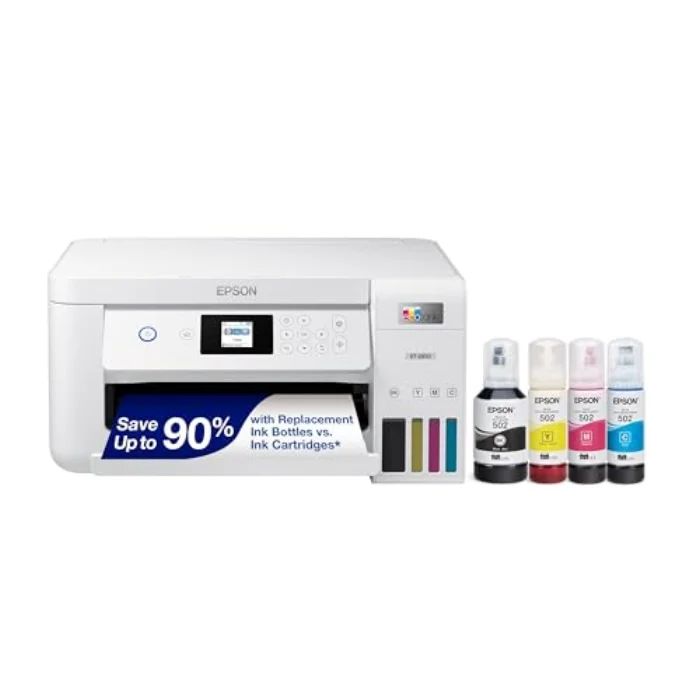
Epson EcoTank ET-2850 Cartridge-Free Printer, our top pick No. 1 · BEST OVERALL

The short version: our best overall pick is the Epson EcoTank ET-2850. It costs more up front, but its refillable ink tanks cut the cost per page to a few pence and the bundled ink lasts most homes a year or two, which makes it the cheapest sensible choice over time. For the best value, the compact Brother MFC-J1010DW is hard to beat, while the budget Canon PIXMA TR4750i gives you a full all-in-one for less. If you mostly print black text, skip inkjets altogether and buy the HP LaserJet M110we mono laser. More important than the brand, though, is one decision: inkjet or laser, and how much the ink will really cost you.

The Dossier

Our top pick in detail

Epson EcoTank ET-2850 Cartridge-Free Printer, Epson BEST OVERALL
Epson

Epson EcoTank ET-2850 Cartridge-Free Printer

4.5 / 5 · 4,200 reviews

Our best overall pick. The Epson EcoTank ET-2850 ends the cartridge trap that makes so many cheap printers a false economy. You pay more up front, but the refillable tanks cut the cost per page to a few pence, and the bundled ink lasts most homes a year or two. Add reliable Wi-Fi, a clear app and crisp everyday prints and it is the printer we would buy for most households.

Type
Inkjet, refillable ink tank
Functions
Print, scan, copy (3-in-1)
Connectivity
Wi-Fi, USB, Epson Smart Panel app
Running cost
Very low: bottles, not cartridges
Print quality 4.0
Running cost 5.0
Ease of use 4.0
The Finalists

The other 5 printers in the ranking

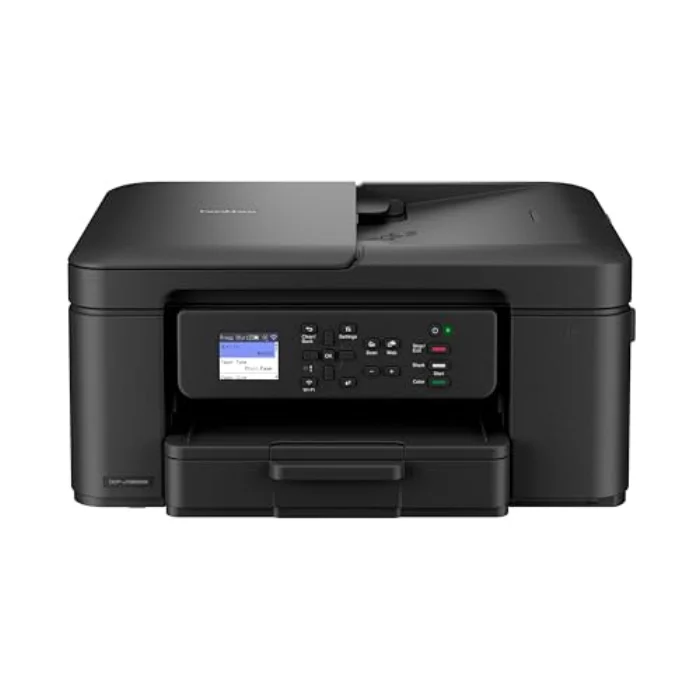
  1. Brother MFC-J1010DW Compact Wireless Inkjet, Brother
    Brother BEST VALUE

    Brother MFC-J1010DW Compact Wireless Inkjet

    Our best value choice. Brother is the brand most small offices trust, and the MFC-J1010DW packs the essentials, including automatic two-sided printing, into a small, sensible body at a keen price. Running costs are reasonable for a cartridge inkjet, and the cartridges are easy to find on the high street. If you want a dependable all-rounder without the EcoTank up-front spend, this is the rational buy.

    4.3/ 5
    £119.99
    View →
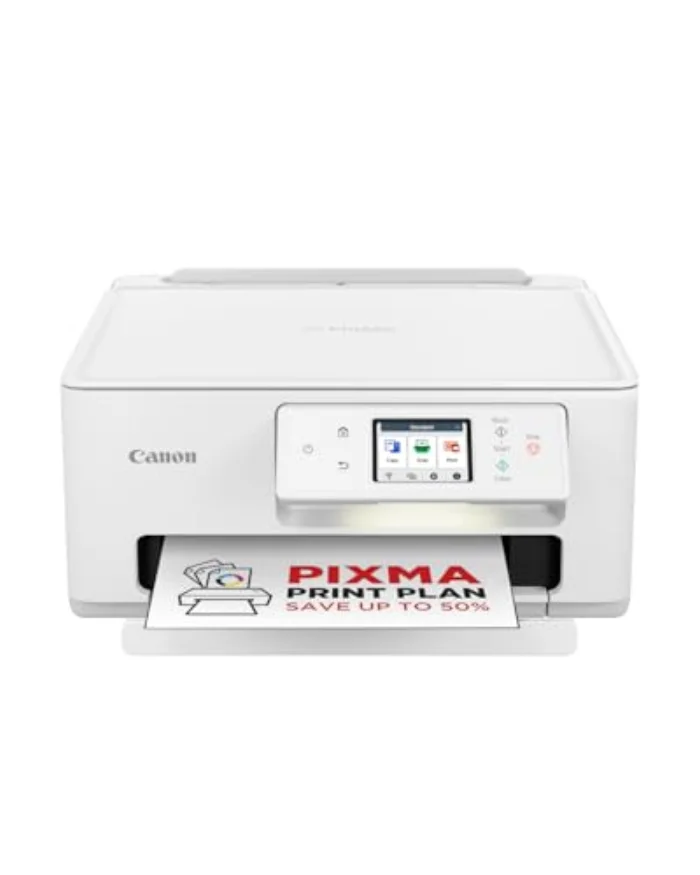
  2. Canon PIXMA TR4750i Wireless All-in-One, Canon
    Canon BEST BUDGET

    Canon PIXMA TR4750i Wireless All-in-One

    The best budget unit. The Canon PIXMA TR4750i gives you a complete all-in-one, including an automatic document feeder for scanning and copying multi-page documents, at the keenest price here. The catch is the usual one for cheap inkjets: cartridges. Pair it with an ink subscription and the per-page cost becomes sensible. If you print only occasionally and want the most features for the least outlay, this is it.

    4.1/ 5
    £69.99
    View →
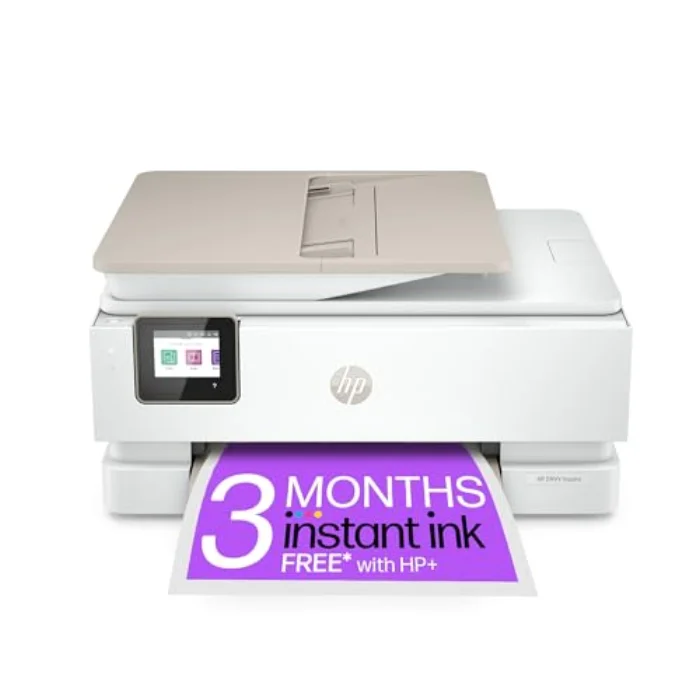
  3. HP ENVY Inspire 7920e All-in-One Printer, HP
    HP BEST FOR PHOTOS

    HP ENVY Inspire 7920e All-in-One Printer

    The best choice for photos. The HP ENVY Inspire 7920e is built around colour and photo printing, with a separate photo tray and noticeably richer output than the all-rounders here. The HP Smart app makes setup and mobile printing painless. The honest caveat is running cost: it makes most sense on an HP Instant Ink plan. If your printing is mostly photos and colour, it earns its place; if it is mostly black text, save your money.

    4.2/ 5
    £139.99
    View →
  4. HP LaserJet M110we Mono Laser Printer, HP
    HP BEST FOR TEXT

    HP LaserJet M110we Mono Laser Printer

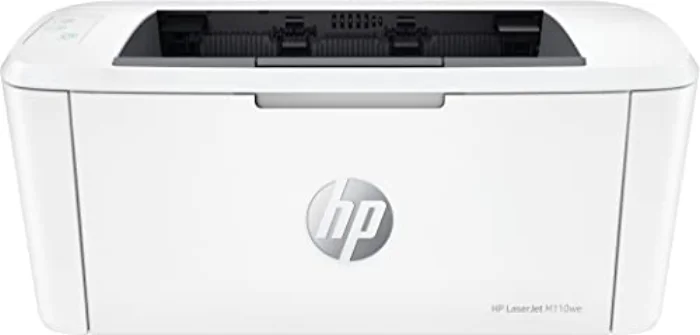
    The best choice for text. If you mostly print letters, forms, tickets and homework, a mono laser like the HP LaserJet M110we beats any inkjet hands down. The text is sharp, it prints fast, and the toner does not dry up if you leave it for weeks, which is the curse of the occasional-use inkjet. It does not scan, copy or print in colour, so it is a specialist, but for high-volume black text it is the cheapest and most reliable choice here.

    4.4/ 5
    £100.79
    View →
  5. Pantum BP2300W Compact Mono Laser Printer, Pantum
    Pantum CHEAPEST RUNNING COST

    Pantum BP2300W Compact Mono Laser Printer

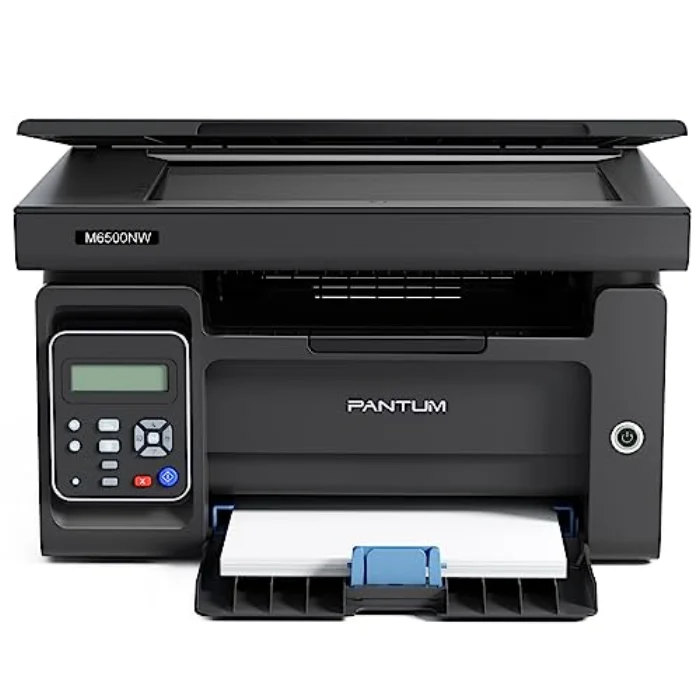
    The pick for the lowest running cost. The Pantum BP2300W is the printer to choose when you want laser-quality text for as little money as possible, both to buy and to run. Toner is cheap and easy to find, and a single starter cartridge lasts a long time for typical home use. The trade-off is a plainer app and less hand-holding than HP offers, but if you just want reliable black text at the lowest cost per page, it is hard to beat.

    4.0/ 5
    £110.42
    View →
At a glance

The 6 printers compared side by side

Model Type Print quality Running cost Rating Price Buy
EpsonEpson EcoTank ET-2850 Cartridge-Free Printer Inkjet, refillable ink tank 4.0/5 5.0/5 4.5 £384.10 View →
BrotherBrother MFC-J1010DW Compact Wireless Inkjet Inkjet, cartridge 4.0/5 4.0/5 4.3 £119.99 View →
CanonCanon PIXMA TR4750i Wireless All-in-One Inkjet, cartridge 4.0/5 3.0/5 4.1 £69.99 View →
HPHP ENVY Inspire 7920e All-in-One Printer Inkjet, cartridge 5.0/5 3.0/5 4.2 £139.99 View →
HPHP LaserJet M110we Mono Laser Printer Mono laser 4.0/5 5.0/5 4.4 £100.79 View →
PantumPantum BP2300W Compact Mono Laser Printer Mono laser 4.0/5 5.0/5 4.0 £110.42 View →

Ratings from 1 to 5, awarded after our tests under the same conditions. See our testing method.

Printers: who each type suits, and who it doesn't

The first thing to understand about printers is that there is no single best one, only the best one for how you print. The cheapest unit on the shelf can be the most expensive to own, and the right choice depends almost entirely on two things: whether you need colour, and how many pages you print. Get those two answers straight in your head before you look at a single model, and the whole decision becomes simple.

An inkjet sprays liquid ink and is the all-rounder: it prints colour, photos and documents, and the all-in-one versions also scan and copy. It suits most homes. Its weakness is that the ink can dry in the heads if the printer sits unused for weeks, wasting ink on cleaning cycles, and cheap cartridge models can cost a fortune to refill. A mono laser uses dry toner fused by heat, prints only in black, and is faster, sharper on text and far cheaper per page, with toner that never dries out. It suits anyone whose printing is mostly letters, forms and homework. An ink-tank printer like the EcoTank is an inkjet that swaps cartridges for refillable bottles, giving you colour at a laser-low running cost in exchange for a higher purchase price.

The single most important thing: the running cost, not the price tag

This is the rule that saves people the most money, and the one shops least want you to know: the price on the box is rarely the real cost of a printer. Many printers are sold cheaply because the manufacturer makes its profit on the ink afterwards, the classic razor-and-blades model. A bargain cartridge inkjet can quietly cost more in ink within a year than it cost to buy. So before you compare features, work out roughly how much you print, and choose accordingly:

  • You print a lot, including colour (a busy household, photos, kids' projects): an ink-tank printer such as the Epson EcoTank ET-2850. Higher to buy, by far the cheapest to run.
  • You print a moderate amount and want an all-in-one (the odd document, scan and copy): a cartridge inkjet such as the Brother MFC-J1010DW, ideally with an ink plan if you print colour regularly.
  • You print mostly black text (letters, forms, study, work): a mono laser such as the HP LaserJet M110we or the budget Pantum BP2300W.

Crucially, a more expensive printer is not automatically better. Paying for photo quality you never use, or speed you do not need, is wasted money. Our cheapest printer to run guide goes through exactly where the cost hides and how to avoid the worst of it.

Inkjet or laser: the choice most people get wrong

Here is the honest answer to the question we get asked most: buy a laser if you print mostly black text, and an inkjet if you need colour, photos or only print now and then. The reasoning is simple physics and economics. Lasers print crisp, smudge-proof text faster and cheaper per page, and their toner does not dry out, so a laser left untouched for a month prints perfectly the moment you need it. That makes a mono laser the most reliable choice for the very common "I only print occasionally, but when I do it has to work" household.

Inkjets earn their place when colour matters, when you want photos, or when you need scanning and copying in one machine, which is most homes. The trap to avoid is the cheap cartridge inkjet bought with no thought to ink: it is the single most expensive way to print. If you want an inkjet and you print regularly, either buy an ink-tank model or put a cartridge printer on an ink subscription. We lay out the full case both ways in our inkjet vs laser guide, because this one decision matters more than any brand.

All-in-one or print-only: do you need a scanner?

Most homes are better off with an all-in-one (print, scan, copy), because the day will come when you need to scan a contract, copy a passport or send a signed form, and a 3-in-1 inkjet does all of that for only a little more than a print-only model. If you also deal with multi-page documents, a unit with an automatic document feeder like the Canon PIXMA TR4750i saves a lot of fiddling with the scanner glass. If, on the other hand, you genuinely only ever print, a single-function mono laser is smaller, cheaper and often more reliable, with one less thing to go wrong. The right answer comes down to whether scanning is part of your life, and for most working-from-home and family households, it is.

How we chose these six

We deliberately picked printers that cover the full range of real UK needs rather than six near-identical inkjets. There is the ink-tank all-rounder for low-cost colour, the compact value inkjet, the budget all-in-one with a document feeder, the photo specialist, and two mono lasers at different price points for text-heavy homes. Every model here is a brand that is genuinely available and supported in the UK, and each one earns its spot for a specific buyer. If you start by working out how you print, you will find your printer on this list. Our full buying guide covers the rest: speed, connectivity, duplex, and the features worth paying for.

The best printer is not the most expensive one, but the one that fits how you actually print, with no nasty surprises and no money wasted on ink you do not need.
Daniel Whitfield · home office and printing tester
Why you can trust us

We test real products; we don't read spec sheets back to you.

  1. We test under the same conditions

    Every printer goes through the same routine in comparable conditions, so we compare real-world performance rather than the figures on the box.

  2. We measure what matters day to day

    We judge the criteria that make a real difference in everyday use, print quality, running cost and ease of use, not just the spec sheet.

  3. No ties to the brands

    We buy the printers ourselves. The links are affiliate links; our verdict is not, and the ranking is never for sale.

Verdict: which printer should you buy?

For most homes the Epson EcoTank ET-2850 is the soundest choice: low-cost colour, scanning and copying, and a running cost that pays back its higher price within a year or two. If you would rather spend less up front, the Brother MFC-J1010DW is the best value and the Canon PIXMA TR4750i the keenest budget all-in-one. For photos, the HP ENVY Inspire 7920e is the pick; for sharp, cheap black text, buy the HP LaserJet M110we or the lowest-cost Pantum BP2300W. Whichever you choose, the most important step never changes: decide between inkjet and laser first, then weigh the running cost, not the sticker price. Get that right and any of these printers will serve you well. To see exactly how we score them, read our how we test page.

Common questions

The questions we are asked most

Which is the best printer in 2026?
Our best overall pick is the Epson EcoTank ET-2850, a refillable ink-tank inkjet that prints, scans and copies. It costs more up front but cuts the cost per page to a few pence, which makes it the cheapest sensible choice for most homes over time. For the best value we recommend the Brother MFC-J1010DW, and for sharp, low-cost black text the HP LaserJet M110we mono laser is the smart buy.
Is an ink tank printer cheaper than a cartridge printer?
Over time, almost always. An ink-tank printer such as the Epson EcoTank costs more to buy but uses cheap refill bottles instead of cartridges, so the cost per page is a fraction of a cartridge inkjet's. If you print more than a few pages a week, the higher purchase price usually pays for itself within a year or two.
Should I buy an inkjet or a laser printer?
Choose an inkjet if you print photos or in colour and only print occasionally; choose a mono laser if you mostly print black text and want low running costs and reliability. Lasers print sharper text faster and their toner does not dry out between jobs, which is the main weakness of an inkjet that sits unused.
What is the cheapest printer to run?
For colour, a refillable ink-tank printer like the Epson EcoTank ET-2850 has the lowest cost per page. For black text only, a mono laser such as the Pantum BP2300W or HP LaserJet M110we is cheapest, because toner is inexpensive and a single cartridge prints a great many pages. Avoid cheap cartridge inkjets if you print a lot: the ink is where the real cost hides.
Do I need an all-in-one printer?
If you ever need to scan or copy documents at home, yes: an all-in-one (print, scan, copy) saves buying a separate scanner and is barely more expensive. If you only ever print, a single-function printer, especially a mono laser, is cheaper, smaller and often more reliable. Most homes are best served by a 3-in-1 inkjet.